Published 19.11.2026
Taste Skill: How to Make Claude Code and Codex Build Better-Looking Websites
Taste Skill is a design skill for Claude Code, Codex, Cursor, and other AI coding agents. Learn how its art directions, references, browser checks, and workflow help produce less generic websites.
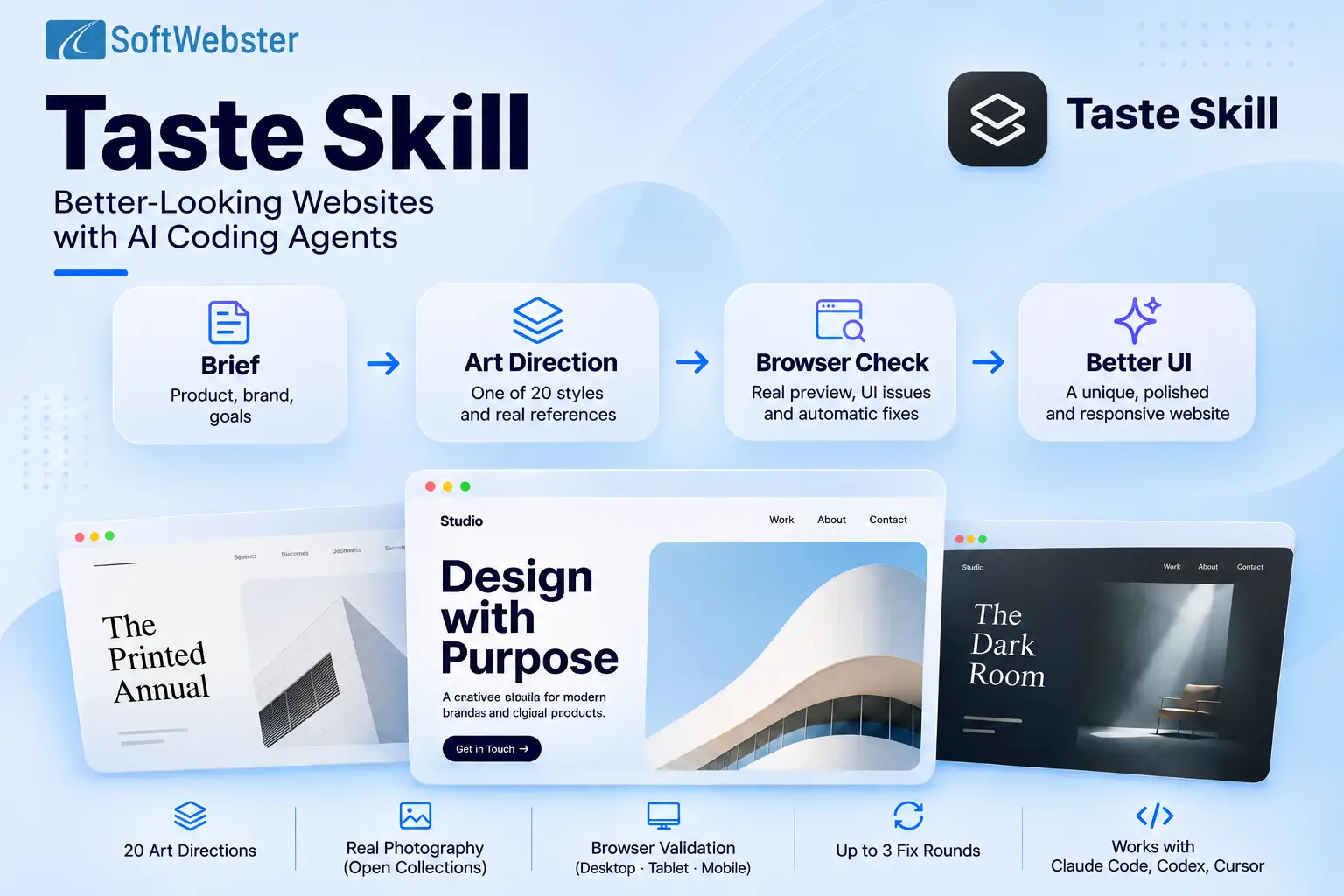
AI coding agents can already build complete websites from a simple text brief. Claude Code, Codex, Cursor, and other tools can generate components, styles, responsive layouts, and complex interactive features.
But there is still one major problem: many AI-generated websites look too similar.
A familiar hero section, a gradient, a few rounded cards, and a standard SaaS layout often result in a technically correct website that feels like something we have already seen dozens of times.
Taste Skill tries to solve exactly this problem.
What Is Taste Skill?
Taste Skill is an open-source design skill for AI coding agents.
Instead of simply helping an AI write frontend code, it gives the agent an art direction, visual references, real imagery, and a system for validating the result in a real browser.
It can work with tools such as:
- Claude Code;
- Codex;
- Cursor;
- and other coding agents that support skills.
The main skill is installed as:
design-taste-frontendThe idea is simple: instead of allowing the model to generate an average landing page, Taste Skill first defines a design direction and then builds the interface around it.
A Design Library Built from 247 Websites
The current version of Taste Skill was built from a study of 247 curated websites from One Page Love and Awwwards Sites of the Day.
That research was turned into a design library containing:
- 20 art directions;
- dozens of hero compositions;
- hundreds of section compositions;
- 44 typography systems;
- 56 color palettes;
- hundreds of reference photographs;
- motion patterns;
- real website references.
The agent therefore receives much more than a vague instruction to "make it look good".
20 Art Directions
One of the core ideas behind Taste Skill is its art direction system.
For each page, the system deals three possible directions from a library of twenty.
Examples include:
- The name as a monument;
- Sentence is the layout;
- The pinned poster;
- Colour chapters;
- The place carries it;
- The page is the object;
- One motif;
- The product performs;
- The quiet instrument;
- The printed annual;
- Loud and flat;
- The dark room;
- Type and nothing else.
The agent chooses the direction that best fits the product, brand, and content.
This changes the starting point of AI-generated design: the page begins with an idea rather than a collection of components.
How Taste Skill Works
1. Inventory
The agent first reads the brief and the project.
It identifies things that are unique to the specific client:
- the name and its meaning;
- the product;
- location;
- numbers;
- materials;
- constraints;
- business-specific details.
The page is therefore expected to come from the real subject rather than from a generic template.
2. Draw
The system then deals three possible art directions.
Once a direction is selected, it also provides:
- a hero composition;
- section layouts;
- typography;
- a color palette;
- photographs;
- a motion direction.
The result works almost like an automatically generated art direction board.
3. The Idea
The agent then defines the central idea of the page.
The interface should have one strong concept connected to the actual product or brand.
This helps prevent pages from becoming collections of unrelated attractive sections.
Real Photography Instead of Generic Placeholders
Taste Skill can search for real images in open collections, including:
- Wikimedia Commons;
- Openverse;
- Art Institute of Chicago;
- The Metropolitan Museum of Art.
External images are selected from supported open-license sources and attribution is handled where required.
This matters because strong photography often contributes more to a website's identity than another decorative gradient or generic 3D render.
The Agent Checks Its Own Work in a Real Browser
One of the most interesting parts of Taste Skill is that the agent is not supposed to stop immediately after generating code.
The page is opened in a real browser and inspected at multiple viewport sizes.
The inspector can detect problems such as:
- unequal outer margins;
- text placed too close to the screen edge;
- large empty areas;
- overflow;
- poor spacing;
- weak headlines;
- mobile layout problems;
- insufficient visual content.
Findings are classified as:
FAIL
WARN
A page should not be considered finished while a FAIL remains.
Iterative Fixing
After the first browser inspection, Taste Skill captures screenshots and analyzes the most important issues.
The agent fixes them and runs the inspection again.
The process can repeat for several rounds:
build
↓
open in browser
↓
inspect
↓
find problems
↓
fix
↓
inspect again
This is closer to a real frontend workflow than:
prompt → generated code → doneMobile Is Checked Separately
Taste Skill includes dedicated mobile checks.
These can cover:
- tap target sizes;
- overflow;
- sections overlapping;
- edge spacing;
- CTA behavior;
- content readability.
Recent releases also include checks for very narrow phone widths.
Real Product UI
For software websites, Taste Skill can use real interface patterns instead of decorative mockups.
Examples include:
- chat interfaces;
- terminals;
- diff review screens;
- pipeline boards;
- voice interfaces;
- other application UI patterns.
This allows a software landing page to show the actual product rather than a generic browser window filled with random cards.
Installing Taste Skill
The main installation command is:
npx skills add https://github.com/Leonxlnx/taste-skill --skill "design-taste-frontend"The current skill requires:
- Node.js 22 or newer;
- Chrome, Chromium, or Edge.
No API key is required.
Installing for Claude Code
Taste Skill can also be installed as a Claude Code plugin:
/plugin marketplace add Leonxlnx/taste-skillThen:
/plugin install taste-skill@taste-skillTo update it later:
/plugin updateInstalling for Codex
For Codex:
codex plugin marketplace add Leonxlnx/taste-skill
codex plugin add taste-skill@taste-skill
Start a new Codex session after installation so the skill is loaded.
How Do You Use Taste Skill?
Taste Skill is not based on memorizing dozens of slash commands.
After installation, the agent receives the skill instructions and can apply them during frontend work.
For example:
Build a landing page for a furniture store.
Use Taste Skill to define the art direction and verify the result in the browser.
Or for an existing project:
Redesign this homepage using Taste Skill.
Keep the existing functionality and content.
Redesigning Existing Projects
Taste Skill is not limited to new websites.
The current version includes redesign workflows for existing interfaces.
Before making changes, the agent inspects the existing page in a real browser and records its current state.
The workflow aims to preserve:
- the existing stack;
- content;
- working functionality;
- the useful parts of the current structure.
It can then refine typography, color, framing, states, and generic components.
This is an important principle: redesigning a site should not automatically mean rewriting everything that already works.
Taste Skill vs Impeccable
Taste Skill and Impeccable solve related problems, but their approaches are different.
Impeccable
Impeccable works more like a design vocabulary and a collection of focused tools for refining an existing interface.
For example:
/impeccable critique
/impeccable layout
/impeccable typeset
/impeccable bolder
/impeccable audit
/impeccable polish
You explicitly tell the agent which part of the design process you want to improve.
Taste Skill
Taste Skill is more focused on art direction.
Its workflow is closer to:
business context
↓
art direction
↓
layout + typography + palette
↓
real imagery
↓
browser inspection
↓
fix problems
↓
final result
Taste Skill is therefore closer to answering:
What should this website look and feel like?while Impeccable is often closer to:
How can we improve this interface?Can Taste Skill and Impeccable Be Used Together?
Conceptually, yes.
Taste Skill can help establish an art direction and produce the initial interface.
Impeccable can then be used for more focused refinement:
Taste Skill
↓
art direction
↓
build
↓
browser validation
↓
Impeccable critique
↓
layout / typeset / adapt
↓
polish
This starts to look like a fairly serious AI-assisted design workflow rather than simple prompt-based code generation.
Can Taste Skill Replace a Designer?
No.
Art direction, UX research, brand strategy, and real user testing still require human judgment and experience.
But for developers already using AI coding agents, Taste Skill can potentially improve the quality of the first frontend iteration.
What makes it particularly interesting is that it pushes the agent to do more than generate code:
- choose a design concept;
- use references;
- work with real imagery;
- inspect the result in a browser;
- capture screenshots;
- identify visual problems;
- fix those problems before finishing.
Conclusion
Taste Skill is an interesting example of the next stage of AI coding agents.
The first generation of coding tools mostly tried to answer:
Can AI build this frontend?The question is now gradually becoming:
Can AI make good design decisions?Taste Skill approaches this problem with art direction, reference libraries, real imagery, responsive checks, and validation in a real browser.
Its workflow is particularly interesting:
inventory
→ art direction
→ design system
→ build
→ browser inspection
→ fixes
→ final result
If Claude Code or Codex is already part of your frontend workflow, Taste Skill is definitely worth testing on a real project.
Official website: https://www.tasteskill.dev/
GitHub: github.com/Leonxlnx/taste-skill