PlateSoft
CRM/POS for restaurants, cafes and bars. From a table order to a fiscal receipt, all in one workspace.
PlateSoft suits restaurants, cafes, bars, coffee shops and sushi bars. We developed this CRM/POS for everyday front-of-house, kitchen, bar and cashier workflows. The web system runs on a touchscreen POS terminal or a regular laptop, connecting guest service with venue operations.

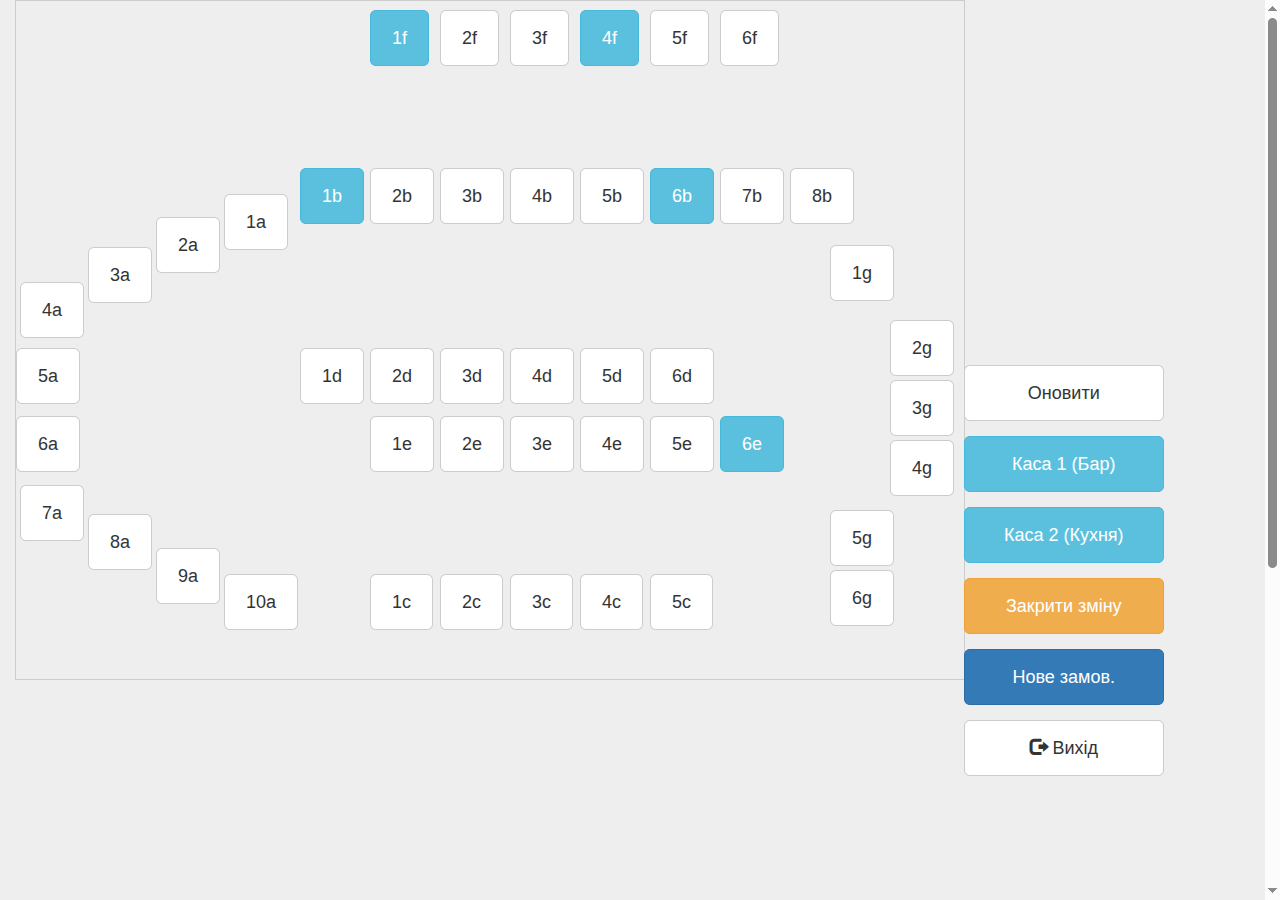
Your floor on one screen
Work starts with the table layout. Staff select a table and open its order. The order list adds details about the waiter, opening time, total, discount, deposit and payment status.
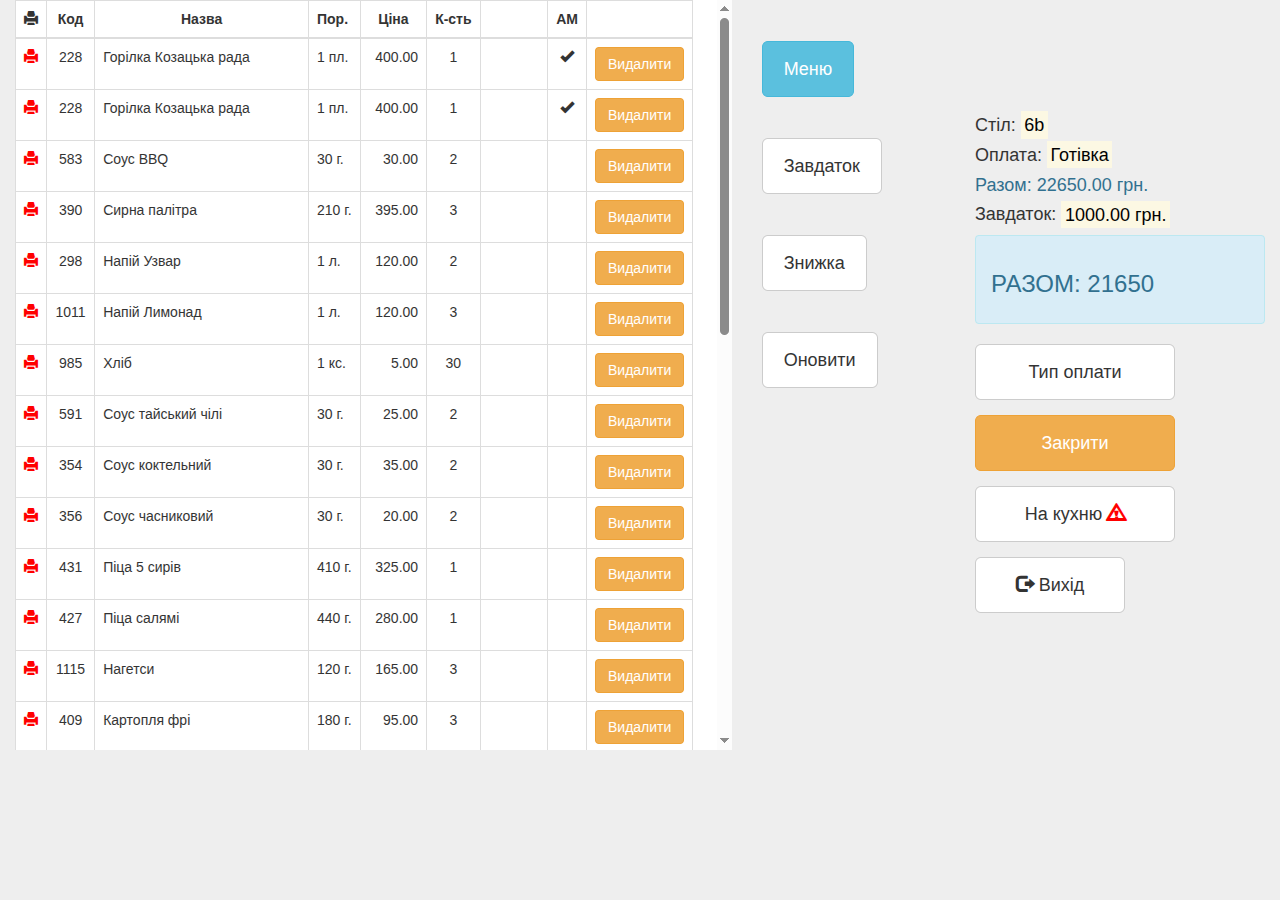
Every order at your fingertips
Add a dish, change a quantity, select a portion, apply a discount or account for a deposit. Waiters work with the complete guest order, prepare the bill and record cash or card payment.
Kitchen orders to the kitchen. Bar orders to the bar.
Order items are sent to their designated printers. The project supports multiple printers, with an audible signal accompanying kitchen printing.
Built for touch
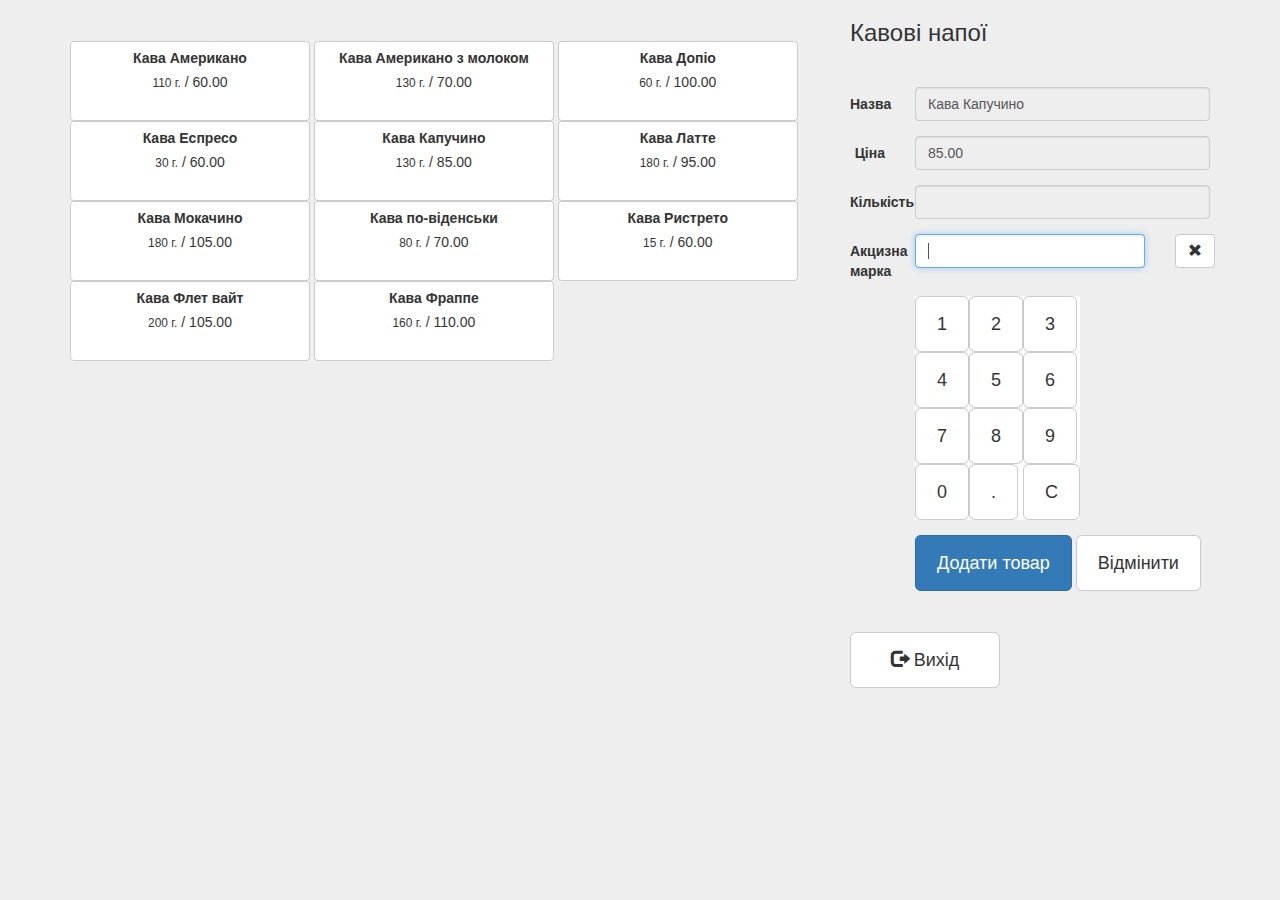
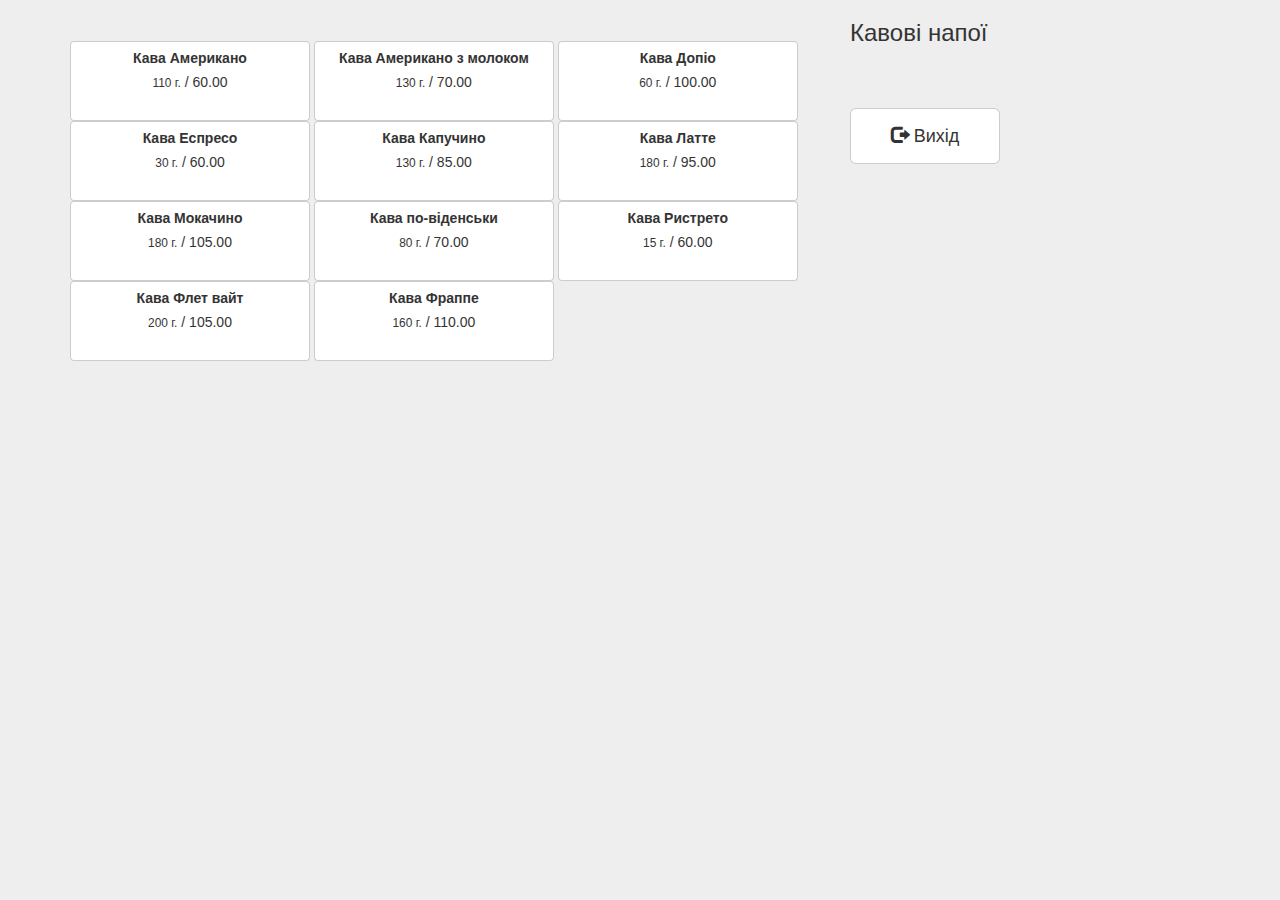
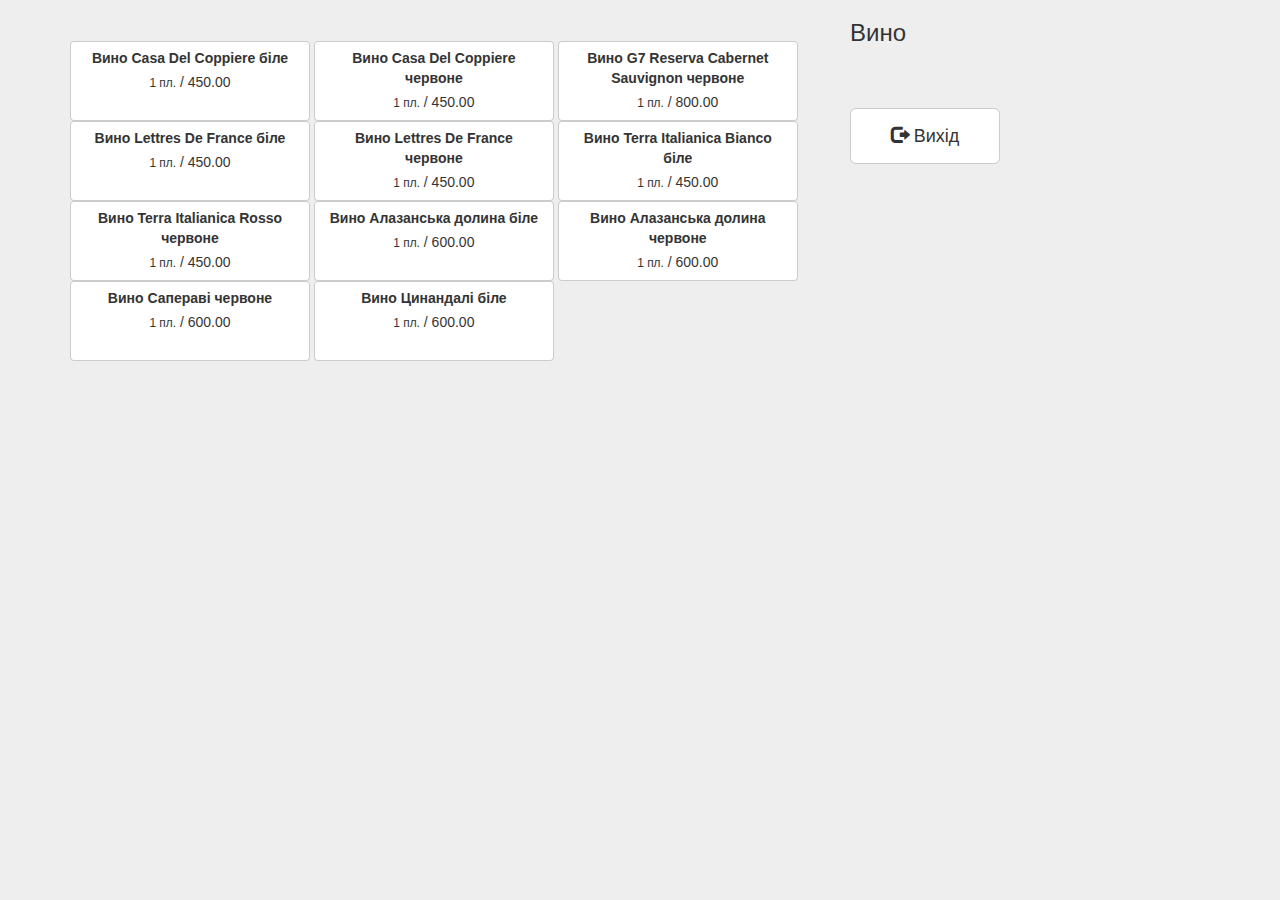
Large product buttons, menu categories and an on-screen numeric keypad are designed for touch operation. On the Posiflex PS-3316, the system opens in a browser in kiosk mode.
Workstation equipment
The terminal, scanner and printer support daily CRM workflows, from choosing an item to printing a bill. This solution uses the following equipment.
- Laptop or desktop computer
- You do not need expensive specialist equipment to get started: the system can run even on an older Windows 7 laptop. The interface works in a browser with mouse and keyboard controls, so you can use equipment you already have. We check browser and peripheral compatibility before implementation.
- Posiflex PS-3316
- Professional, expensive equipment for a dedicated cashier workstation. The touchscreen POS terminal gives staff access to the floor plan, menu and orders through a browser in kiosk mode. Large buttons and an on-screen keypad support everyday touch operation.
- Barcode scanner
- Complements touch controls with barcode scanning when working with products. We choose the model and connection to suit the workstation and venue workflows.
- Xprinter XP-Q90EC
- A receipt printer with USB, Ethernet and an automatic cutter. It can be connected at the workstation or through the local network. Bill and order printing are configured separately from fiscal receipt processing.
Two ways to process fiscal receipts
The system can use Checkbox as a software fiscal solution or a MINI-FP54.01 hardware fiscal recorder. We choose the integration to match your fiscal equipment and venue workflows.
Checkbox — software fiscal solution
Integration with checkbox.ua links orders to fiscal receipts. Cashier actions are available directly in the restaurant system.
- Opening and closing fiscal shifts.
- Creating and viewing receipts with order items and payment methods.
- Recording cash deposits and withdrawals.
- Generating X and Z reports.
MINI-FP54.01 — hardware fiscal recorder
An alternative is integration with a MINI-FP54.01 fiscal recorder. The system sends transaction data to the device, which performs fiscal registration and prints the fiscal receipt.
This option provides a cashier workstation with a separate hardware fiscal recorder. Connections and configuration are agreed during implementation.
The implemented system supports separate kitchen and bar registers, Ukrainian commodity classification codes (UKTZED) and excise stamp entry for applicable products.
Operations beyond the register
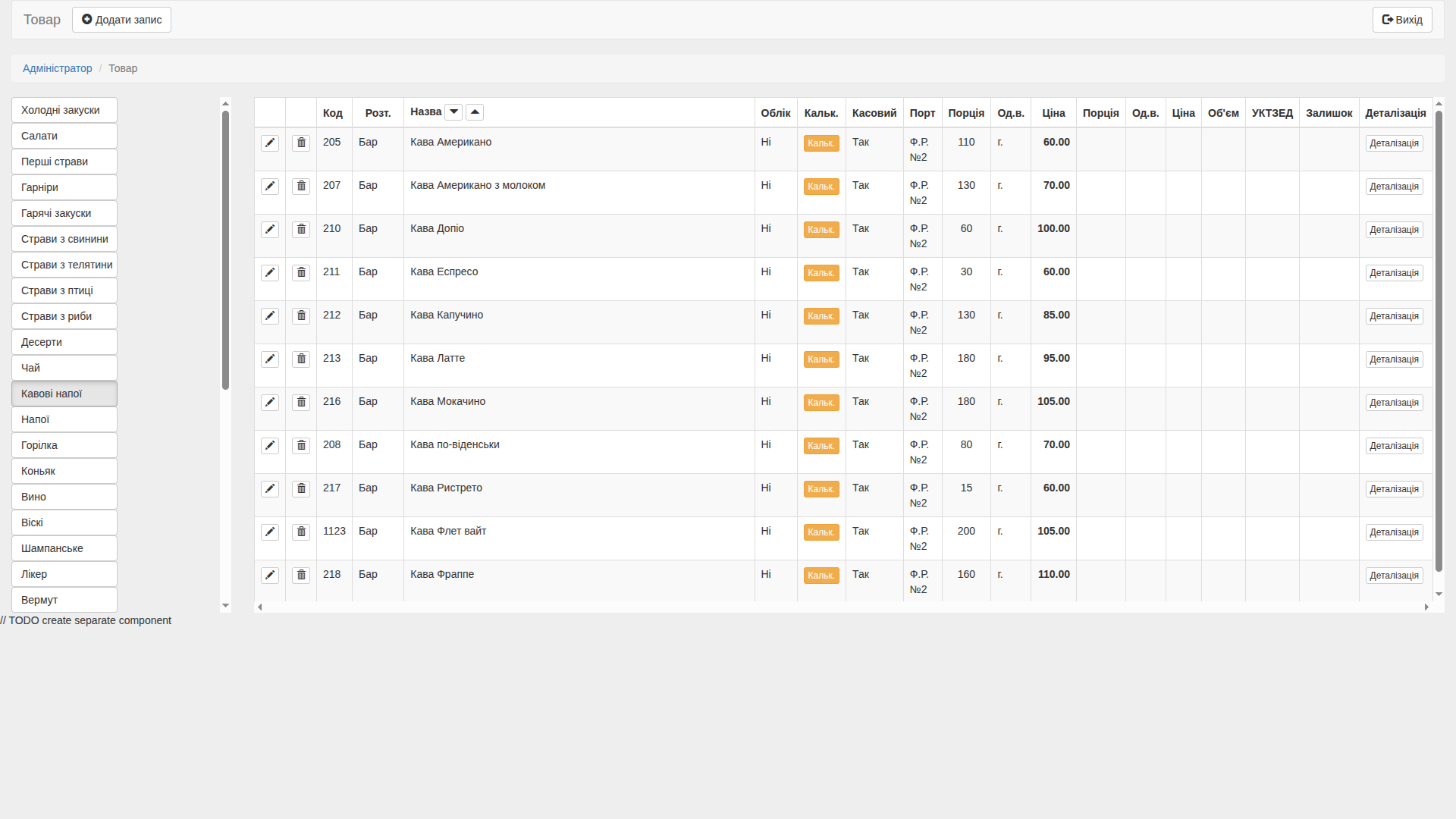
The administration area brings together menus, ingredients, semi-finished products and recipe costing. Separate directories manage users, tables and venue settings.
Inventory operations
Record incoming and outgoing stock, view balances and track inventory movements. Ingredient, semi-finished product and recipe-costing directories support menu management.
Reports for managers
Daily reports with shift and sales data can be exported to Excel. The operational interface also shows shift totals, kitchen and bar amounts, and deposits.
Built around your venue
For this project, we combined the web interface, server-side business logic, database and integrations with restaurant equipment and a fiscal service. The solution uses PHP, CodeIgniter, a MySQL-compatible database and jQuery.
Custom development lets the system evolve with your workflows: adjust the interface, extend modules and add integrations. The scope of adaptation for another venue is agreed separately.
Before implementation
Is this an off-the-shelf service or a custom system?
PlateSoft was developed around the workflows of a specific restaurant. For your venue, we will discuss the features, equipment, integrations and adaptations you need.
What types of venues can use the system?
The system suits restaurants, cafes, bars, coffee shops and sushi bars. Menu, order, payment and printing workflows are configured for your type of venue. We define the features you need when discussing your processes.
What equipment does the implemented system use?
This project uses a Posiflex PS-3316 touchscreen POS terminal with a browser in kiosk mode, a barcode scanner and an Xprinter XP-Q90EC receipt printer with USB, Ethernet and an automatic cutter. We check compatibility with your equipment before implementation.
Do I need an expensive POS terminal?
No. The Posiflex PS-3316 is professional, expensive equipment, but it is optional. You can run the CRM even on an older Windows 7 laptop using a mouse and keyboard. Before implementation, we check the browser and connections to the printers, scanner and fiscal equipment you need.
How does fiscal receipt processing work?
Fiscal receipts can be processed through Checkbox (checkbox.ua) or a MINI-FP54.01 fiscal recorder. The Checkbox integration supports opening and closing fiscal shifts, creating receipts, recording cash deposits and withdrawals, and generating X and Z reports. Separate bar and kitchen registers are supported.
How much does implementation cost?
The cost depends on your workflows, required modules, equipment and integrations. After discussing your needs, we define the scope and prepare an estimate.
Need a system
for your workflows?
Tell us how your venue works. We will discuss orders, inventory, equipment and integrations to define the right solution.
Discuss your project