Published 06.11.2026
Impeccable: How to Improve AI-Generated Web Design with Design Skills
Impeccable is a design skillset for Claude Code, Codex CLI, Cursor, and other AI coding agents. Learn how to use critique, polish, layout, audit, Live Mode, and automated design checks.
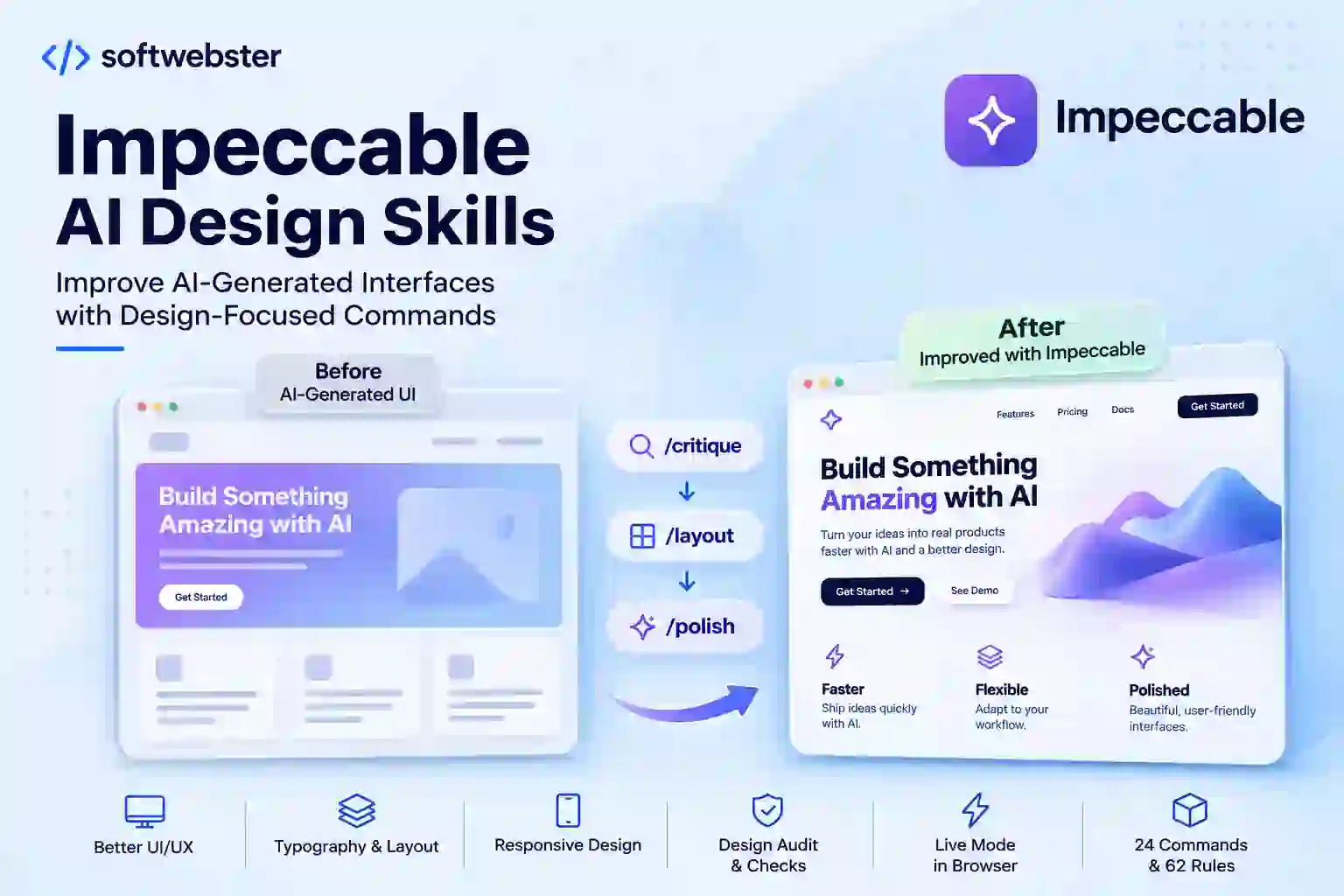
AI coding agents have become surprisingly good at building web interfaces. Claude Code, Codex CLI, Cursor, and other tools can generate React components, build landing pages, create dashboards, and redesign existing interfaces.
But there is a problem: technically correct interfaces do not always look professionally designed.
Repeated gradients, generic cards, excessive rounded corners, predictable hero sections, weak typography, and familiar layouts make many AI-generated websites look remarkably similar.
Impeccable is an open-source design skillset that tries to solve exactly this problem.
It gives AI coding agents specialized design knowledge and provides developers with a more precise vocabulary for controlling interface design.
What Is Impeccable?
Impeccable describes itself as a design vocabulary for your coding agent.
Instead of giving an agent a vague prompt such as:
Make this page look betteryou can provide a much more focused direction:
/impeccable bolder the pricing cardsor:
/impeccable quieter the landing pageThe first command increases visual presence, while the second reduces unnecessary visual noise.
This is one of the main ideas behind Impeccable: replace vague prompts such as make it modern, make it premium, or make it pop with a more useful design vocabulary.
The Problem with AI-Generated Design
When AI coding agents are asked to design an interface without strong constraints, they often fall back on familiar visual patterns.
Common examples include:
- Inter used almost everywhere;
- purple-to-blue gradients;
- cards nested inside other cards;
- gray text on colored backgrounds;
- rounded icon containers above headings;
- excessive rounded elements;
- weak visual hierarchy;
- cramped padding;
- incorrect heading structure.
These patterns are often described as AI slop: an interface that technically works but lacks intentional design decisions and personality.
Impeccable does more than generate another set of styles. It provides agents with design-oriented instructions and tools for analyzing and refining interfaces.
Which AI Coding Tools Does Impeccable Support?
Impeccable works with many popular coding agents, including:
- Claude Code;
- Codex CLI;
- Cursor;
- GitHub Copilot;
- Gemini CLI;
- Devin;
- Replit Agent;
- OpenCode;
- Grok Build;
- and others.
Most agents use:
/impeccableCodex CLI uses:
$impeccableHow to Install Impeccable
The recommended installation method is to run the installer from your project root:
npx impeccable installThe installer detects supported coding tools and lets you install Impeccable for the current project or globally.
Reload your coding tool after installation so it can discover the new skill.
Installing Impeccable in Claude Code
Claude Code can also install Impeccable through its plugin marketplace:
/plugin marketplace add pbakaus/impeccableThen open:
/pluginand install Impeccable.
Installing via skills.sh
npx skills add pbakaus/impeccableFor the complete integration, including supported design hooks, the standard installer is recommended:
npx impeccable installInitialize Your Project
After installation, initialize Impeccable for the project:
/impeccable initIn Codex CLI:
$impeccable initImpeccable analyzes the project and creates:
PRODUCT.mdThis file stores important product context such as:
- target audience;
- product purpose;
- user goals;
- constraints;
- brand personality.
This matters because good interface design depends on context.
An e-commerce checkout, a creative agency landing page, and an enterprise CRM dashboard should not be designed in the same way.
DESIGN.md — A Design System for Your AI Agent
If your project already has an established visual system, you can document it with:
/impeccable documentImpeccable analyzes existing design tokens, components, and rendered output and creates:
DESIGN.mdThis helps future AI-generated changes stay consistent with the project's existing visual language.
In simple terms:
PRODUCT.mddescribes the product and its context;DESIGN.mddescribes the visual system.
The Main /impeccable Command
You do not need to memorize every specialized command.
You can simply describe the outcome:
/impeccable this dashboard looks generic and the important numbers are hard to findOr:
/impeccable redesign this hero sectionImpeccable determines which design approaches are relevant.
Running the command without additional instructions:
/impeccablelets Impeccable inspect the project and suggest several useful next steps.
Specialized Impeccable Commands
Impeccable provides a collection of focused commands for different stages of interface design.
bolder — Increase Visual Presence
/impeccable bolder the pricing cardsUseful when an interface feels too safe, generic, or visually weak.
quieter — Reduce Visual Noise
/impeccable quieter the homepageReduces unnecessary emphasis while preserving the design's personality.
distill — Remove Unnecessary Complexity
/impeccable distill the checkoutSimplifies overloaded interfaces and keeps attention on what users actually need.
colorize — Improve the Use of Color
/impeccable colorize the dashboardUses color to clarify actions, states, hierarchy, and product character.
typeset — Improve Typography
/impeccable typeset the landing pageWorks with fonts, hierarchy, sizing, line height, and readability.
layout — Improve Composition
/impeccable layout the product pageImproves spacing, rhythm, grouping, and the relationship between interface elements.
animate — Add Meaningful Motion
/impeccable animate the product galleryAdds transitions and interaction feedback where motion helps users understand what is happening.
delight — Add Personality
/impeccable delight the empty stateLooks for opportunities to make meaningful moments more satisfying and distinctive.
overdrive — Push the Design Further
/impeccable overdrive the heroTargets more ambitious interfaces with advanced effects, animation, and interaction.
critique — Review the Design
/impeccable critique the homepageThis is one of Impeccable's most useful commands.
It performs a structured UX review, identifies design weaknesses, and prioritizes what should be improved first.
For example:
/impeccable critique the checkout pageThis is much more useful than simply asking:
Make it look betteraudit — Technical UI Review
/impeccable audit the storefrontThe audit command focuses on implementation quality as well as visual design.
It can examine:
- accessibility;
- responsive behavior;
- performance;
- theming;
- general UI quality.
Findings are prioritized by severity.
polish — Final Pass Before Shipping
/impeccable polish the product pagepolish is designed for the final refinement of an existing interface.
It can identify small inconsistencies in spacing, typography, component styling, and interaction states that are easy to miss during implementation.
harden — Prepare the UI for Real Data
/impeccable harden the checkoutA design may look perfect with ideal demo content and still break with real-world data.
harden focuses on cases such as:
- long content;
- overflow;
- errors;
- empty states;
- localization;
- unusual data;
- edge cases.
adapt — Responsive Design
/impeccable adapt the product page for mobileHelps adapt an interface to different devices and screen sizes.
A strong mobile interface should not simply be a smaller desktop layout.
optimize — Improve UI Performance
/impeccable optimize the landing pageFocuses on loading and rendering performance.
This can be useful after implementing large images, animations, or complex interactive components.
shape — Plan UX Before Writing Code
/impeccable shape a new checkout experienceHelps plan the user experience and structure before implementation begins.
This is especially useful when designing a new page or feature.
extract — Build a Reusable Design System
/impeccable extractIdentifies repeated interface patterns and helps turn them into reusable parts of the project's design system.
Live Mode — Iterate Directly in the Browser
One of the most interesting Impeccable features is Live Mode:
/impeccable liveIt opens your local development server with an overlay.
You can select an element directly in the browser, explore design variations, and compare them in place.
After choosing a direction, the selected changes can be applied back to the source code.
Live Mode supports frameworks and environments including:
- Vite;
- Next.js;
- SvelteKit;
- Astro;
- Nuxt;
- plain HTML.
Live Mode is intended for local development. It should not be injected into a production website.
Automated Design Checks with 62 Rules
Impeccable includes a deterministic detector that can work without an LLM or API key.
It currently includes 62 rules designed to catch common AI-generated design patterns and UI quality problems.
Scan source files:
npx impeccable detect src/Scan a rendered local page:
npx impeccable detect http://localhost:5173Generate JSON output:
npx impeccable detect --json .Generate GitHub Actions annotations:
npx impeccable detect --github src/List all available rules:
npx impeccable detect --list-rulesSource scans and rendered-page scans provide different types of feedback.
Some patterns can be detected directly in JSX or TSX, while issues such as real contrast, text size, or element geometry require a rendered page.
Automatic Checks While the Agent Works
For supported coding agents, Impeccable can install a design hook.
The hook automatically scans UI files edited by the agent and returns findings before the agent finishes the task.
This creates an interesting feedback loop:
AI edits UI
↓
Impeccable checks it
↓
problems are returned to the AI
↓
AI can fix them before finishing
A Practical Workflow
Imagine that Claude Code has created a homepage for an online store.
Start with a structured design review:
/impeccable critique the homepageIf the hero feels too generic:
/impeccable bolder the hero sectionImprove the page composition:
/impeccable layout the homepageReview the mobile experience:
/impeccable adapt the homepage for mobileRun a technical audit:
/impeccable audit the homepageFinish with a final refinement pass:
/impeccable polish the homepageFinally, scan the rendered page:
npx impeccable detect http://localhost:5173Why Is Impeccable Interesting for Developers?
Developers do not always have the design vocabulary needed to explain exactly why an interface feels wrong.
You may recognize that a page looks generic or unbalanced while struggling to explain the problem to an AI agent.
Impeccable adds another layer between the developer and the coding agent:
developer → design vocabulary → AI coding agent → interfaceInstead of repeatedly asking an AI to "make it look better," you can work through specific design dimensions:
critique
layout
typeset
bolder
adapt
audit
polish
For AI-assisted frontend development, this is a much more structured workflow.
Can Impeccable Replace a UI/UX Designer?
No.
Impeccable can help a coding agent make better design decisions, but it does not replace user research, usability testing, brand strategy, information architecture, or the judgment of an experienced UI/UX designer.
This is particularly important for complex products where design decisions are closely connected to business logic and user behavior.
However, for developers already using AI to build frontend interfaces, Impeccable can be a very useful additional tool.
Conclusion
Impeccable is an interesting example of how the AI coding ecosystem is evolving.
We already have agents that can write code very well. The next step is helping those agents produce better results, not just more code.
Impeccable gives Claude Code, Codex CLI, Cursor, and other coding agents a specialized design vocabulary, automated design checks, and a structured workflow for improving interfaces.
Some of the most useful commands to start with are:
/impeccable critique
/impeccable bolder
/impeccable layout
/impeccable adapt
/impeccable audit
/impeccable polish
/impeccable live
If AI coding agents are already part of your frontend workflow, Impeccable is definitely worth testing on a real project.
Official website: https://impeccable.style/
Documentation: https://impeccable.style/docs/
GitHub: github.com/pbakaus/impeccable